Thank you again for joining us as an exhibitor for the Congress Connect Virtual Experience. Tomorrow, all exhibitors and attendees will receive an email from our platform host with your login credentials to start setting up your profile, connecting with attendees, and checking out what Congress Connect has to offer!
There is a lot to see at Congress Connect, so we have broken it down for you below. Congress Connect is open for the entire year, so you have lots of time to visit the exhibitors, view the marketplace and watch the conference sessions.
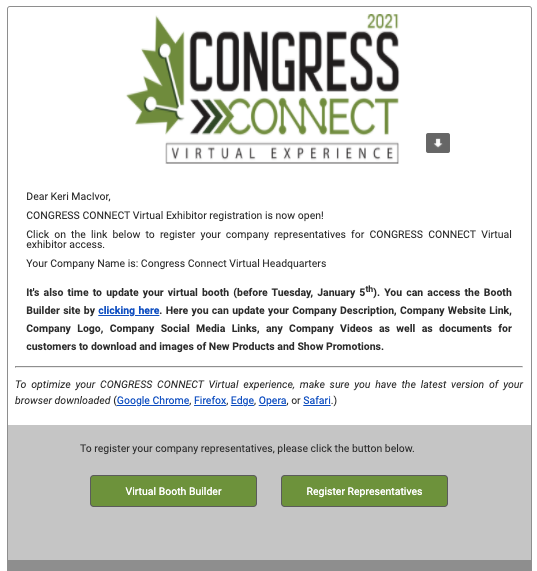
Check your email for your CONGRESS CONNECT 2021: Exhibitor Registration Now Open Email
If you have not done so already, you will want to ensure your virtual marketplace booth is all set up before our soft launch tomorrow.
Click on the ‘Virtual Booth Builder’ button to update your booth. If you are looking to register additional booth representatives click on the ‘Register Representative’ button
Once you download the VIP image, you can share it on social media, email it out to all of your contacts and invite people to visit you at Congress Connect by registering at LOCONRESS.COM
We have140 virtual exhibitors in the Virtual Exhibit Hall. Attendees and exhibitors get to view hundreds of products in the Congress Connect Marketplace using advance search. Looking for something new? Check out our New Product Showcase. Exhibitors can update products throughout the year, so keep coming back to see what’s new!
You will receive a link to access the Congress Connect Platform this week. The first thing you will want to do is go to ‘My Account’ and click on ‘My Profile’.
In this area you can set up your Congress Connect Profile. You can add a picture, your contact information, your social media handles and set up your notification settings.
If you want to view the Congress Connect Conference sessions, you must be registered. Not sure if you registered for the conference? Check your registration here. Once you gain access to the platform, you need to add the Conference sessions you wish to view to your ‘Agenda’. Click on the session your want to view. Click ‘+Register and Add to Agenda’. Under ‘My Account’, click on ‘My Agenda’ to see what sessions you have chosen.
ASPIRE TO WIN!
PASSPORT PROGRAM
Check-in with each exhibitor to be eligible to win! More details under the ‘WIN!’ tab.
PRIZE: New Apple iPad (10.2-inch, Wi-Fi, 32GB)
Brought to you by:
LIVE DESK
JOB BOARD
Are you an employer looking to hire? Post your job openings on our job board, available for viewing by all exhibitors and attendees.
Are you looking for a job? Scroll through the job postings to see if there is a good fit.
SOCIAL MEDIA
Tag us on social media using these three hash tags! Your posts will show up on our Social Page on the platform!
Introduction This is a sample test post created to verify layout, spacing, typography, and overall styling within your WordPress theme. You can use this content
Introduction This is a sample test post created to verify layout, spacing, typography, and overall styling within your WordPress theme. You can use this content


.jpg)
_(1).png)




.png)